Flatleaf

Photograph paper.
Get a flat, clean PDF.

Flatleaf finds the edges of your document, straightens the page and turns it into a PDF. Everything happens on your iPhone.

Coming soon to the App Store For iPhone. Free of ads and tracking.

Made for quick, tidy scans

Take a photo or pick one from your library. Flatleaf does the boring part for you.

Finds the edges

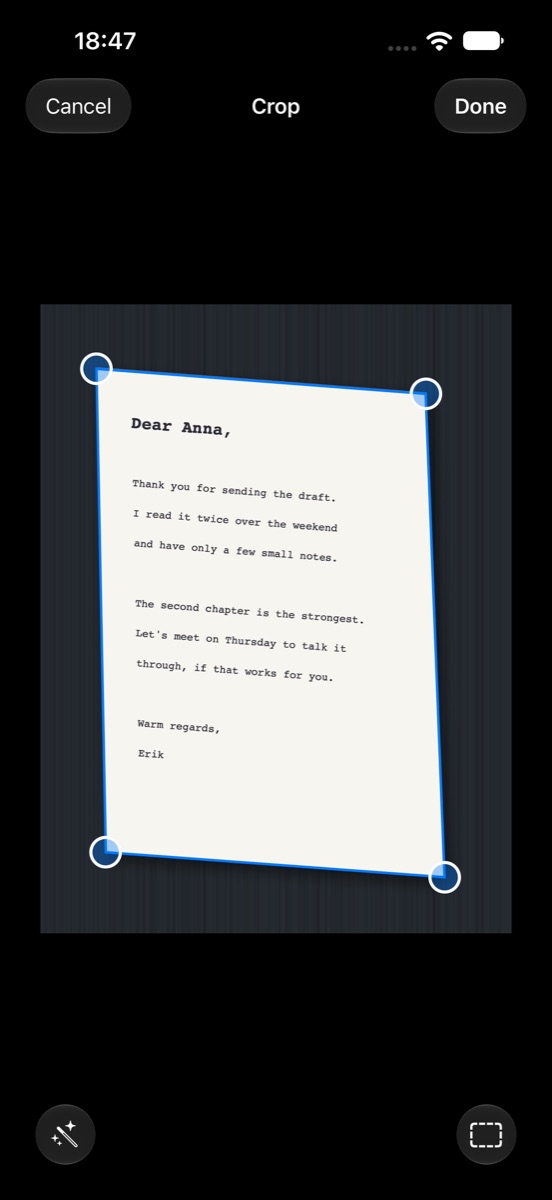
Flatleaf spots the page in your photo and crops it. The perspective is straightened, so a page shot at an angle looks flat.

Crop by hand

Not quite right? Drag the four corners to fit the page exactly, or tap Auto to try again.

Rotate and flip

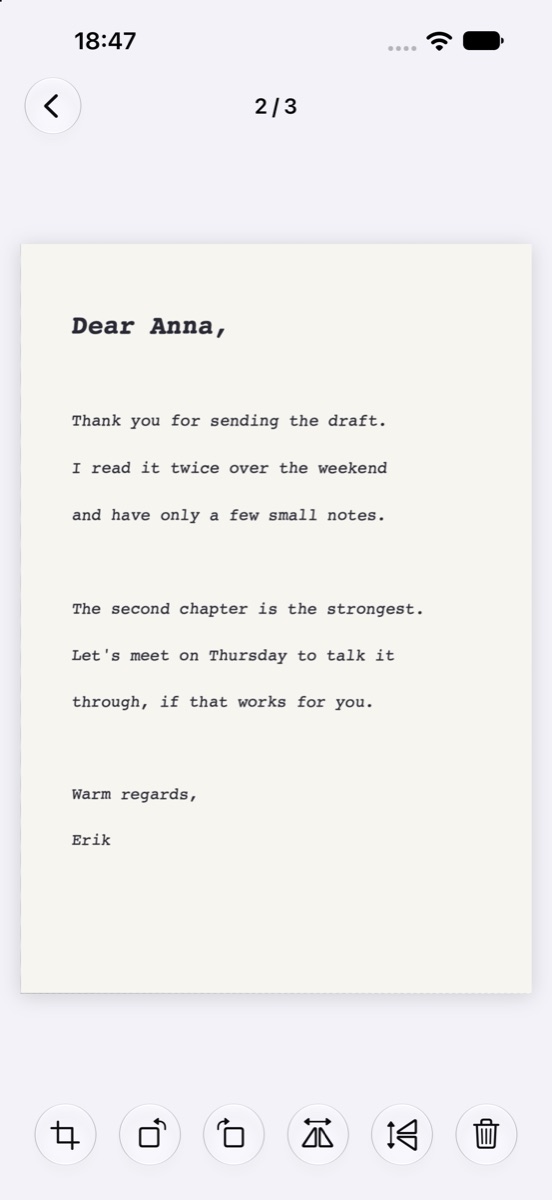
Turn any page left or right, or mirror it. Each page has its own settings.

One PDF

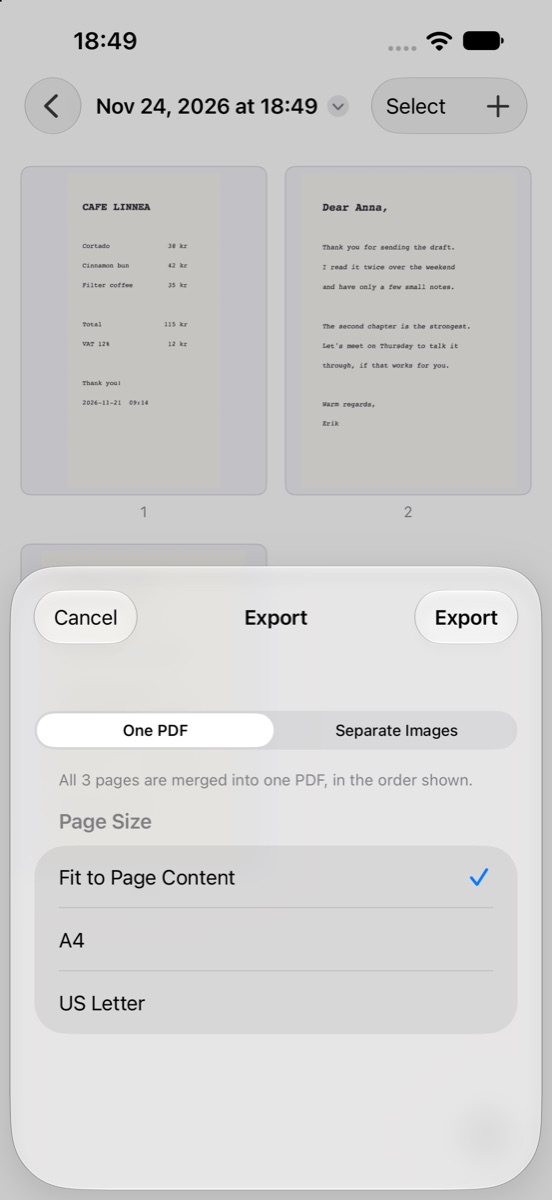
Pick your pages and merge them into one PDF. Fit to content, A4 or US Letter. Or save each page as its own image.

Your order

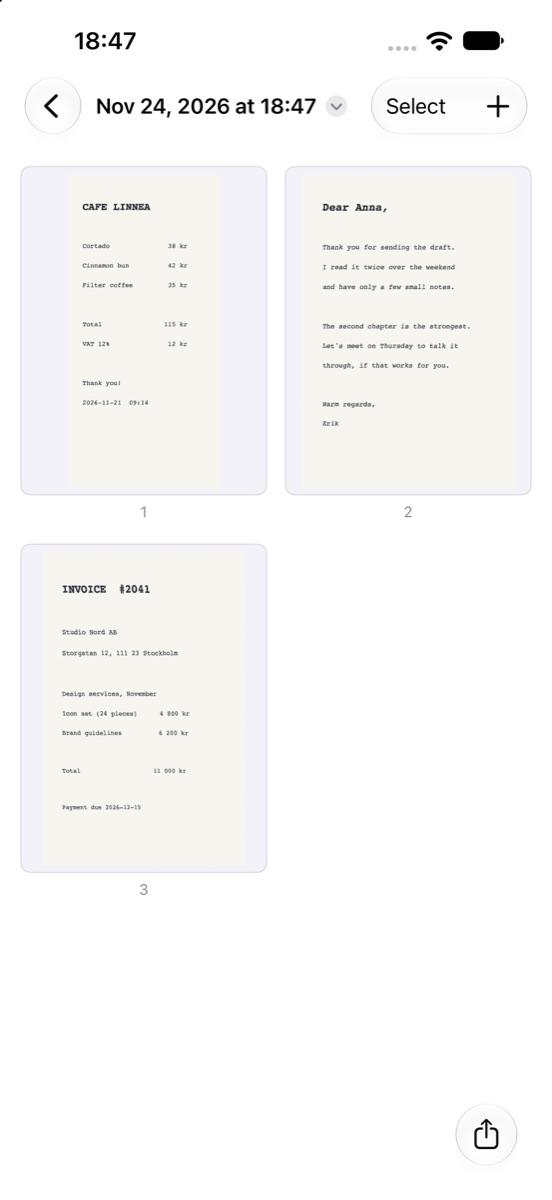
Drag pages to reorder them. Select a few and delete what you do not need.

Private

No account. No ads. No tracking. Your scans never leave your phone unless you share them.
Three steps

From a photo to a PDF in under a minute.

  1. AddTake a photo, or import several from your library.
  2. CheckFlatleaf crops each page. Adjust the corners, rotate or flip if needed.
  3. ShareMerge into one PDF and send it with the share sheet. Save to Files, AirDrop, print.

A look inside

Simple screens that stay out of your way.

Grid of scanned pages in a document
All your pages
A single page with rotate, flip and delete buttons
Rotate and flip
Crop editor with four draggable corners
Crop by hand
Export sheet with PDF and page size options
Export to PDF

Support

Questions, a bug or an idea? Write to flatleaf@rdi.plus. A short description and your iPhone model help a lot.

Flatleaf needs camera access only when you choose Take Photo. You can also import photos without giving camera access.